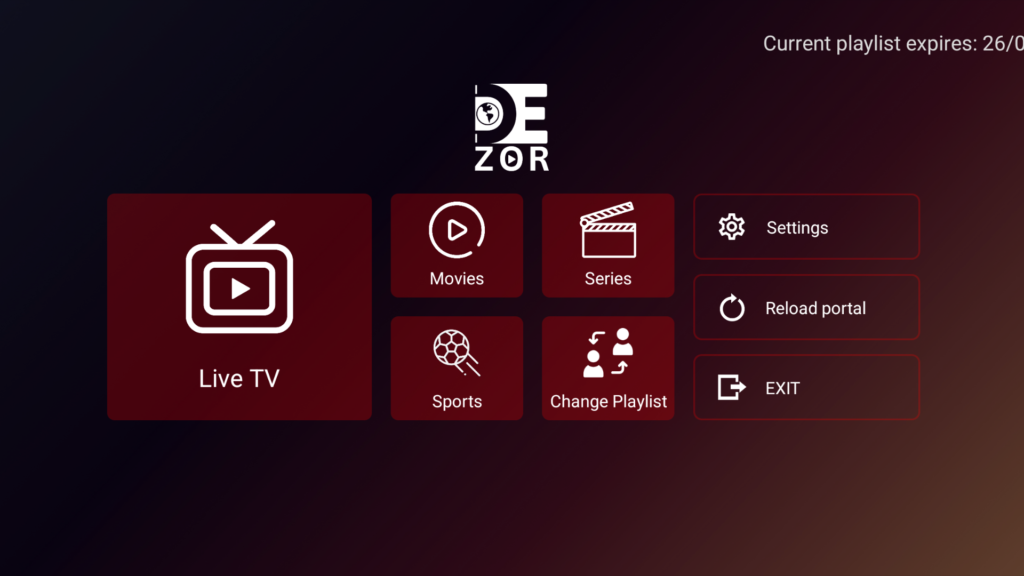
Install IBO Player on Firestick in Minutes

Fast, Easy & Safe Installation

Install the latest version of IBO Player on your Amazon Fire TV Stick or Android TV device in just a few minutes.

Trusted by thousands of users worldwide
IBO PLAYER

Works on Your Favorite Devices

Fire TV
Fire TV Stick
Android TV Box
Chromecast
NVIDIA Shield
Smart TV
TV Box

How to Install IBO Player

Follow these five simple steps to get IBO Player running on your Fire TV Stick or Android TV device.

1

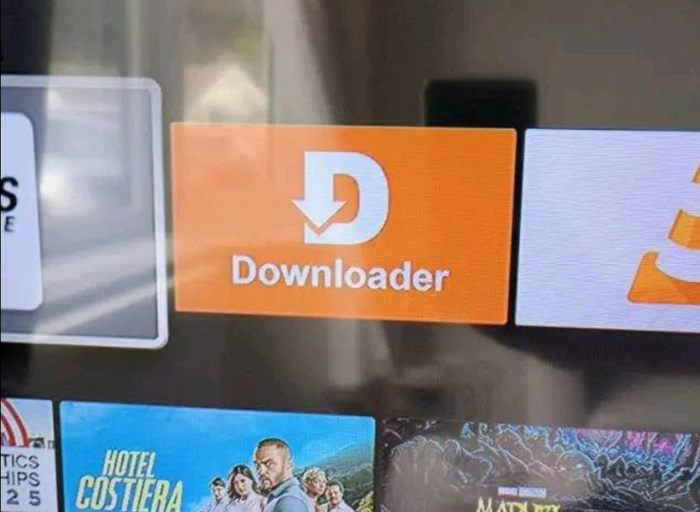
Install Downloader

Open the Amazon App Store on your Fire TV Stick, search for “Downloader,” and install the app.

2

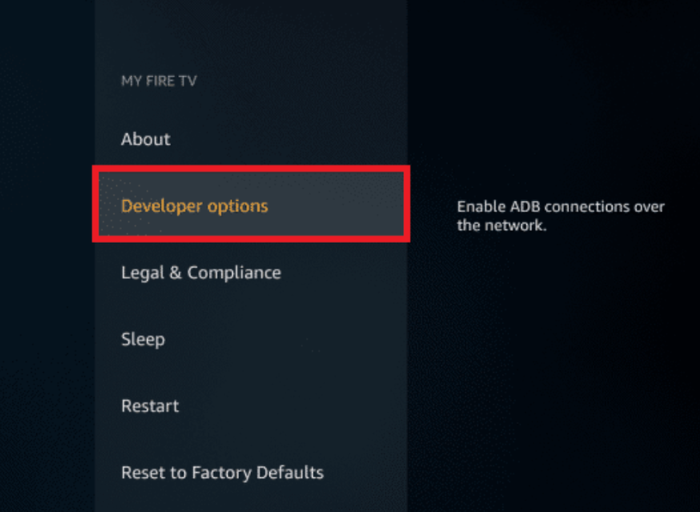
Enable Unknown Sources

Go to Settings → My Fire TV → Developer Options and turn on Apps from Unknown Sources.

3

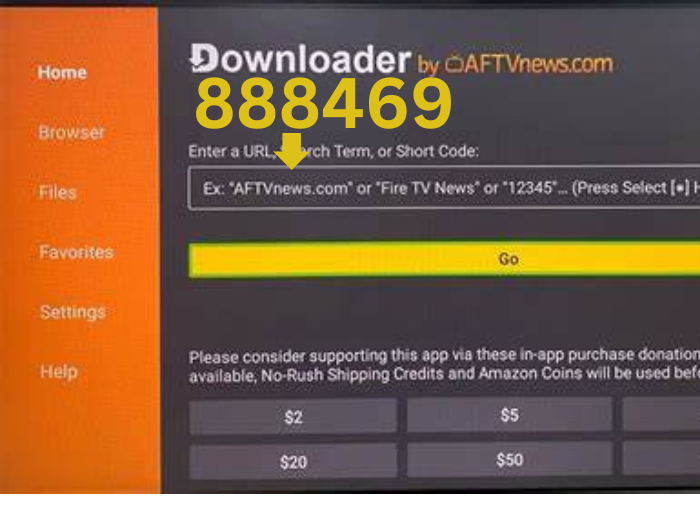
Open Downloader app

Open Downloader App and Search 888469

4

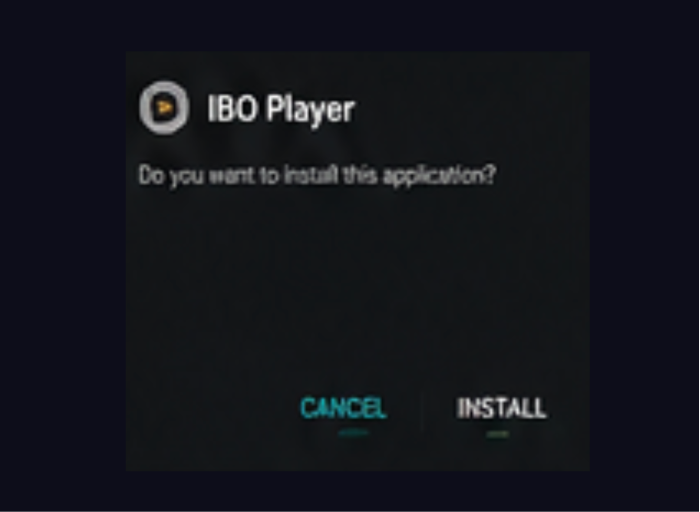
Install the App

Once the file finishes downloading, select Install, wait for it to complete, then choose Open or Done.

5

Add Your Playlist

Launch IBO Player and enter your own M3U playlist URL or Xtream Codes credentials to start watching.

Download the Latest APK

Always download IBO Player from an official, trusted source.

Direct download from our official server

Everything You Need to Get Started

Multiple installation options, broad device support, and a clean, safe install — IBO Player is just the player, the content source is entirely up to you.

Installation Methods

Compatible Devices

100% Safe & Secure

IBO Player installs cleanly with no bundled malware or hidden trackers. It’s simply a player — what you watch depends entirely on the playlist source you provide.

Frequently Asked Questions

Yes. IBO Player itself is free to download and install. It is only a media player and does not include or sell any channels, movies, or subscriptions.
Always download IBO Player from an official, trusted source. Avoid third-party links you don’t recognize.
Yes, IBO Player runs on Amazon Fire TV Stick, Fire TV Stick 4K/4K Max, and Fire TV Cube using the Downloader app.
Yes, it works on Android TV, Google TV, NVIDIA Shield, Chromecast with Google TV, and most Android-based smart TVs.
Downloader is the easiest way to sideload the APK, but you can also transfer the APK file via USB if you prefer.
No. IBO Player contains no media of its own. You must supply your own M3U playlist or Xtream Codes credentials from a legal IPTV or media provider.

Ready to Watch?

Download IBO Player and start playing your own IPTV or media playlist on the big screen.

Fast, Easy & Safe Installation